


By Ward van Gasteren
One of the first growth hackers in Europe, Author of 'Growing Happy Clients', and freelance Growth Consultant.




Last year, LinkedIn started to crack down on some of the most used LinkedIn automation tools, like LinkedHelper, Meet Leonard, Lusha, Skrapp and several other chrome extensions for LinkedIn automation.
Growth Experiment Sheet
Track, prioritize and learn from every experiment in one spreadsheet.
TL;DR: These are the best (working) alternatives to Meet Leonard & Linked Helper
There are currently still 4 non-blocked Linked Helper alternatives:– Expandi.io– Dux-Soup– Phantom Buster– We-Connect.io
Quick recap on what happened
If you’ve been using any chrome extension that has helped to modify, automate or scrape LinkedIn, you’ve most probably seen this warning from LinkedIn:
“Help us keep member data safe. We’ve noticed that you’re using one or more browser extensions that violate the LinkedIn User Agreement (see Section 8.2). As a reminder, to protect our members and their data, we don’t permit the use of any third-party software that modifies, automates activity on, or scrapes LinkedIn’s website.”
Don’t worry! I’ve heard nobody who has been blocked for real and it’s probably just a reserved warning in case anybody really violates the LinkedIn User Agreement.

Update from Linked Helper – “Stop using LinkedHelper!”
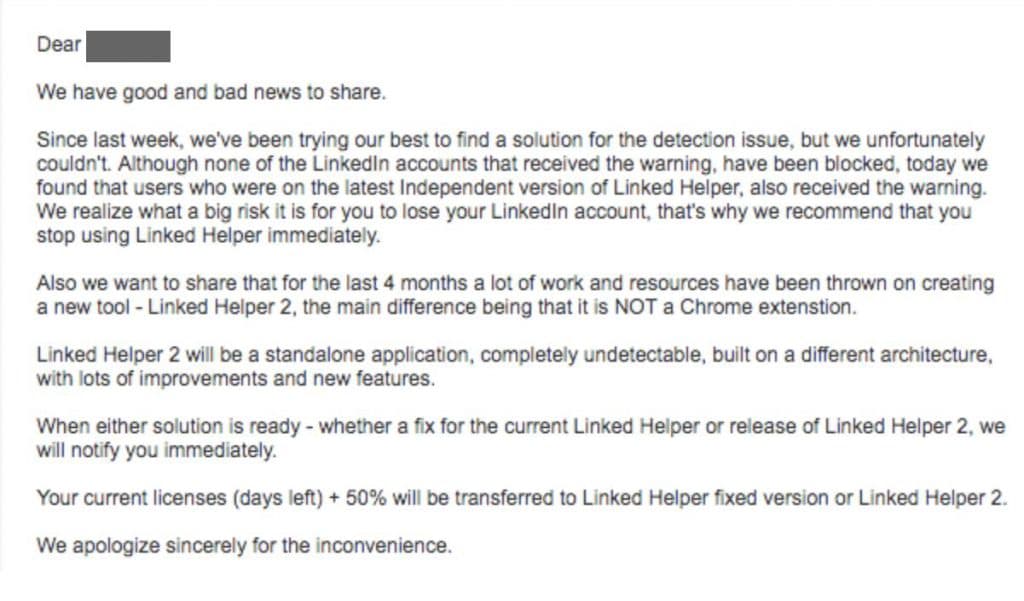
If you’re a Linked Helper user, you’ve just received this email:👇
“Dear XXX, We have good and bad news to share. Since last week, we’ve been trying our best to find a solution for the detection issue, but we unfortunately couldn’t. **Although none of the Linkedln accounts that received the LinkedIn Helper warning, have been blocked,** today we found that users who were on the latest Independent version of Linked Helper, also received the warning. We realize what a big risk it is for you to lose your Linkedln account, that’s why we recommend that you stop using Linked Helper immediately.”
“Also we want to share that for the last 4 months a lot of work and resources have been thrown on creating a new tool – LinkedinHelper 2, the main difference being that it is NOT a Chrome extenstion. **Linked Helper 2 will be a standalone application, completely undetectable**, built on a different architecture, with lots of improvements and new features. When either solution is ready – whether a fix for the current Linked Helper or release of Linked Helper 2, we will notify you immediately. Your current licenses (days left) 50% will be transferred to Linked Helper fixed version or Linked Helper 2. We apologize sincerely for the inconvenience.”
Why is LinkedIn blocking these chrome extensions?
Well, simply said those chrome extensions violate LinkedIn’s User Agreement. LinkedIn doesn’t want you to steal data from other people (scraping) and doesn’t want spam on people’s newsfeed/their inbox (LinkedIn automation), and that’s why they’ve started to block those Linkedin marketing automation tools.
Also, (rumours say) LinkedIn doesn’t want users to be able to do too much without paying for it by becoming a LinkedIn Premium user. Blocking these chrome extensions and possibly someday bring in a legal alternative, will bring them more money. But this is pure gossip and I don’t know if this is something such a big company would do.
The tools that are still working are cloud-based, meaning that they are not running from your computer, but from randomly rotating IP-addresses, therefore you can’t be detected for using a LinkedIn automation tool.
If you want to know more about how this works:
Working Alternatives to Linked Helper
But for those of us who are not willing to wait or can’t wait from a business perspective, until the independent Linked Helper 2 comes out, here are a few alternatives to LinkedHelper that are still working. Luckily, LinkedIn banned extensions only to a certain standard.
Nothing is sure, and I will continue to update this page with the best alternatives.
At this moment (10th of February), there are four alternatives to Linked Helper. These tools are expected to stay up and running, and won’t jeopardize your account.
Sadly, there are no free alternatives for Linked Helper alive at the moment. I guess the paid options are a better alternative anyway at this moment, because they’ll have the manpower to keep defending from LinkedIn’s attacks.
Here are some tools similar to Lusha, Linked Helper and Meet Leonard:
1. Expandi.io
Expandi is one of the latest Linkedin automation tools on the market and it shows: they have very advanced features and a pleasant user interface. In the first version of this list, I didn’t even include them, because they didn’t exist yet.
They claim to be the safest LinkedIn automation tool in the world: thanks to their cloud-based solution, their algorithm that mimics human behaviour and the advice they give to its users on how to not get banned.
Sadly,…
They are very expensive: Expandi’s only plan costs $99/month, which is more expensive than the other alternatives in this list, but if you want the best quality and most security Expandi is for you.

2. Dux-Soup
Dux-Soup offers almost the same features and a much better experience than Linked Helper. This is why I think this is the best alternative now that Linkedin Helper banned.
It has a free plan, which is nice to get started, but if you’re already an active Linked Helper user, I think you’ll need one of Dux Soup’s paid plans:
- Professional Plan – for $11,15 / month, if you pay annually (or $14,99 / month, if you pay monthly).
- Turbo Plan – for $41.25 / month, if you pay annually (or $55,00 / month, if you pay monthly).
The Professional Plan includes practically every feature Linked Helper also offered. The Turbo Plan also gives you the ability to connect with Zapier and Hubspot to further automate your LinkedIn marketing and offers several features for automatic follow-ups.
Small update: I hear some more people lately who get warnings from LinkedIn after using Dux-Soup. I (and most others in the community) believe that this mostly happens due to sending to many messages, rather than really putting the blame on Dux-Soup.

3. Phantom Buster
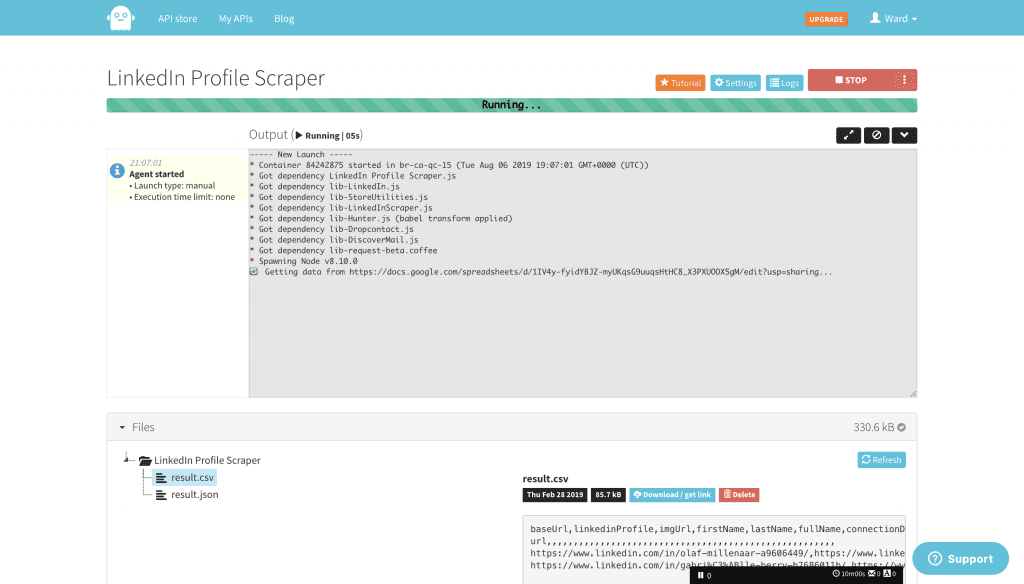
Phantom Buster is a very broad and robust automation tool for growth hackers.
⚠️ Be aware: this tool is a lot more technical than Linked Helper!
They create cloud API’s that can help you automate almost anything. Cloud API’s don’t run from your computer, but run from random IP-addresses to keep you safe from getting banned. Because of this way of working you don’t pay a fee based on what you use, but based on how much you use it.
These are Phantom Buster’s price plans:
- Free – 10 minutes / day for 1 automation
- $30 / month – 1 hour / day for 5 automation
- $70 / month – 3 hours / day for 10 automation
- $200 / month – 10 hours / day for 20 automation
- $900 / month – 60 hours / day for 40 automation
So in short, you pay for execution time. This represents the maximum time you can get from their servers. Two APIs a.k.a. automations running for 5 minutes each will count as 10 minutes of used execution time.
I personally liked PhantomBuster, but I would not advise it as the best alternative for less-technical marketers. It’s just not made to be easy to use.
They’ve even made a step-by-step list on how to recreate your Linked Helper processes in PhantomBuster, in reaction to the LinkedHelper-block. You can read the steps here.

4. We-Connect.io
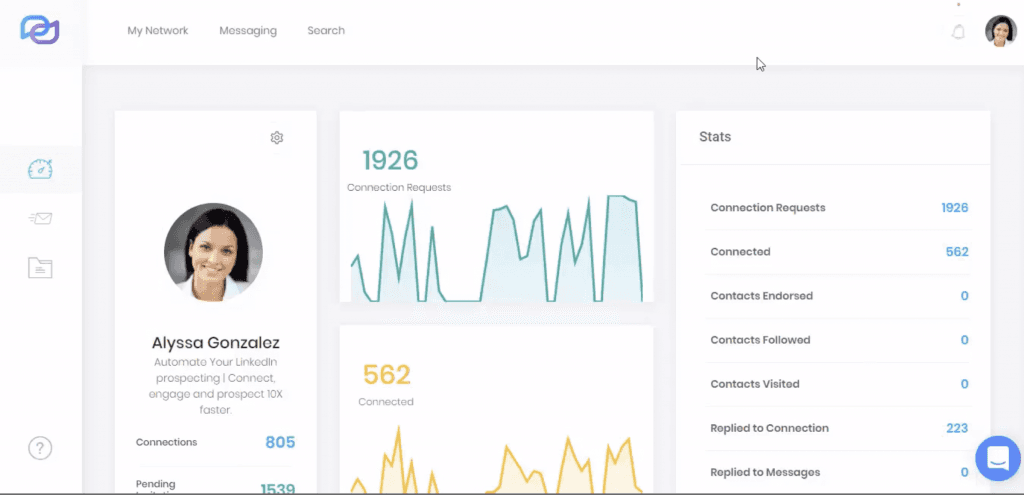
We-Connect.io is a less well-known tool in the growth marketing community. Mostly because they don’t seem to be branding themselves very “sexy” and instead call themselves “Cloud-Based LinkedIn Automation Software”… which isn’t very appealing.
Anyhow, thanks to this cloud-based way of working they are still untouched by LinkedIn’s blocking rage.
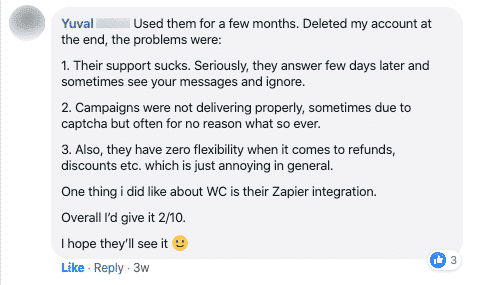
We-Connect.io is pretty easy to use, but doesn’t have all the features Linked Helper and Meet Leonard offered, which is why I didn’t put them higher up in this list of alternatives. Even though, I do think they are the most similar, best alternative to Lusha.
On the other hand, they are a more trustworthy LinkedIn automation tool for mid-sized to big companies, since they take safety very serious: they know and respect LinkedIn’s usage limits and are fully GDPR-approved.
Small update: We-Connect seems to have a lot of trouble lately in delivering quality in software uptime and support. This is why I’ve moved them down from spot 3 to spot 4 in this latest update.
To see all features and prices, click the button below to go We-Connect.io 👇

FAQ on the LinkedIn blocking-update of February 2024
Here are some answers to frequently asked questions on this LinkedIn drama and the best alternatives to Meet Leonard and Linked Helper.
Why is LinkedIn blocking these automation tools / chrome extensions?
Well, simply said those chrome extensions violate LinkedIn’s User Agreement. LinkedIn doesn’t want you to steal data from other people (scraping) and doesn’t want spam on people’s newsfeed/their inbox (LinkedIn automation), and that’s why they’ve started to block those Linkedin marketing automation tools.Also, (rumours say) LinkedIn doesn’t want users to be able to do too much without paying for it by becoming a LinkedIn Premium user. Blocking these chrome extensions and possibly someday bring in a legal alternative, will bring them more money. But this is pure gossip and I don’t know if this is something such a big company would do.
Which automation tools/chrome extensions have been blocked?
Most recently: Linked Helper.But before that:Hunter.io (previously EmailHunter)FindThatLeaddaxtraSalesloftProspectorSalesLoftCadencediscoverlyEcquireEbstabullhornEbstaSalesforceProspectHivetalentbinEnteloNimbleamazinghiringcolabo extensionStepWells(colabo)found.lydatananasLinkedin-Hubspot Connectordux-soup(fixed)data ScraperaevyLushaLead GeneratorCandidate.aiEmail HunterProspectifyiMacrosProphetLeadiqHirEtuaLContact OutProspect.iosaleslift.ioSkrapp or ScrappSlikCleverStaffLinked HelperGet EmailSourcehubSalestoolsSellHackSourcebreakerturboHiringLinMailProLinMailNavigatorLeonard for LinkedinLinkeLeadLoxo Social importJlentySocial2SugarEmplyLinkedroideLink ProLinkMatch for zoho CrMLinkMatch for zoho recruitinkMatch for CatSLinkMatch for PCrecruiterLinkMatch for PipedriveLinkMatch for GreenhouseSnapaddy GrabberramperLinklead.ioalore.ioHr-SkyenSeekOutLeadkedinicebreakerSpider for LinkedinrecruiterNerdCrelateEyeMailSales Lead MultiplierEmail FinderLinkedin assistant Lilyauto Connect tools Lilyadapt ProspectorLeadconnectLinkedbotPeople.campinstant data ScraperLinkMe tooladoritogay2smsLusha (FireFox Extension)LinkedProLeadGibbonSocialbff… And counting…Here is the code to run it yourself: https://pastebin.com/Ux684VtL(Source: Y Combinator forum)
Why are some tools not being blocked?
Nothing is sure, and I will continue to update this page with the best alternatives. At this moment (2nd of February) there are four alternatives to Linked Helper and Meet Leonard. These tools are expected to stay up and running, and won’t jeopardize your account. – Expandi.io– Dux-Soup– We-Connect.io– Phantom Buster
How does LinkedIn see which tools I use?
Well, that is a pretty technical story. 😅In simple terms: LinkedIn is in some way violating its own User Agreement to detect these tools. They either look in your Public Resources to see if you’re using chrome extensions with extraordinary requests, or they look at your screen to see if there are any CSS abnormalities caused by a chrome extension. For example, an extra button to request someone’s email address.On this blog on Github, Dandrews explains exactly how LinkedIn sees it.He also created Nefairous LinkedIn chrome extension which could show you the tools LinkedIn is looking out for, but sadly this tool got taken down recently.

About the author
Ward van Gasteren
Ward van Gasteren is one of the first growth hackers in Europe. He has helped 150+ companies run 1000+ growth experiments, wrote the growth-hacking handbook 'Growing Happy Clients', and trains teams across Europe to grow smarter — not just harder.
- Author of 'Growing Happy Clients'
- 150+ clients · 1000+ experiments
- Featured by TedX, TechCrunch & The Next Web
Worked with






Want to learn more?
Check out my other resources or get in touch to discuss how I can help your business grow.
15 comments
Got a question about this article? Ask it here — I answer them myself.
Your article talks about how LinkedIn cracked down on Chrome extension based tools and how LinkedIn is able to detect them. Dux-soup is also a chrome-extension based tool.
Dux-Soup users are at a risk fo being detected and can potentially get their LinkedIn a/c restricted.
Yet, you recommend Dux-Soup as #1 choice. I find it very surprising and contrary to the advice of the article.
Thanks
Thank you for sharing your concerns, Anna!
I think I haven’t been completely clear possibly; Chrome Extensions are easier to be noticed but are not per se seen by LinkedIn.
I did recommend Dux-Soup as my number 1 alternative to Linked Helper and Meet Leonard, because they have a very skilled IT-department which have already proven to be able to withstand the actions from LinkedIn.
We-Connect and PhantomBuster are both not chrome extensions, which makes them even harder to notice by LinkedIn. Purely based on features and usability I put Dux-Soup on top.
What about meetalfred, which I believe is the successor to meetleonard?
Cool! I didn’t know they had launched a replacement for their chrome extension. Do you have good experience with MeetAlfred? https://meetalfred.com/
Very informative article Ward!
I was using phantom buster for a long time and didn’t get any problem but in the last few days (after 20th Nov) most of my accounts are getting banned. Apart from using chrome extension, what are other chances of getting banned from LinkedIn?
Hi Gaurav, I think the main reason for getting banned would be mistreating the LinkedIn platform. Probably you’ve been overly active.
In this blog: https://blog.phantombuster.com/never-get-banned-every-social-networks-limitations-any-digital-marketer-should-know-9276c8eaa13f, the Phantom Buster founder himself lists some of the known social media limits.
Maybe you’ve posted more than that?
Do you have any information on Octopus? I’ve seen it and their online video and it looks so much better than LinkedIn helper, but since I don’t know, does anyone have feedback on how it stacks up with the softwar you have mentioned.?
Hi Ken,
I agree that it looks a lot better than Linked Helper! … although that wasn’t very hard to do
Sadly, I don’t see how Octopus is much safer than LinkedHelper. They’re a chrome extension and I am pretty sure that LinkedIn is able to detect them since they’re not working cloud-based.
Thanks Ward, this is a very useful article as I’ve been researching and trying to decide what tools to use. Meet Alfred looks good too but I’m not sure if it’s cloud based. I just messaged their team.
Hi Suzanna,
‘Meet Alfred’ is a rebrand of ‘Meet Leonard’. In the end, it’s the same company.
Obviously, it might be that they’ve improved, but I don’t see anything about working cloud-based, so I feel like they haven’t changed anything about the software, since that was their biggest problem, and have simply shipped the same product… I think you’re going through the same trouble as with Meet Leonard.
-Ward
Hello Ward,
Thank you for this article and all those informations.
I found online ProspectIn and Octopus, both seems to be interesting. As an expert in this field, could briefly tell us what do you think of those ? Are they promosing or useless …
Thanks a lot
Hi John,
I’ve also looked at ProspectIn and Octopus.
Both don’t seem to be making a big effort to protect your safety: they’re not cloud-based and work as a chrome extension. They say they try to mimic human behaviour, but that only means that they are using a small delay between actions and cap the number of actions per day.
I wouldn’t trust them with my LinkedIn account, but it’s up to you
Hey Ward,
Totally agree with you. I don’t trust tool that perform action directly through Chrome Extension this is too dangerous.
I heard that ProspectIn was in danger of being blacklisted by LinkedIn this year.
Hey, folks – appreciate this discussion.
Linked Helper launched a 2.0 version that is NOT a Chrome extension. Does anyone know about and whether it is still causing trouble with LinkedIn. It has a lot of very cools features.
Thanks for sharing Henri. I’ll have a look at it in my next update of this article.